“The solution to our attention crisis is not to grind our teeth and try harder, but to create a world where it is easier for all of us to pay attention.” –Stolen Focus: Why You Can't Pay Attention by Johann Hari
Focus Mode
When it comes to their inquiries, customers care about two main things: the quality and speed of the response.
They expect their inquiries to be resolved with clear solutions. At the same time, if that solution comes too late, it will be all for naught.
On the other side, customer-facing employees attempting to drive positive business impact care most about high customer satisfaction, NPS scores, and other leading metrics of business success.
Given their knowledge of the customer’s emphasis on speed and quality, these employees constantly balance the two to maximize the number of delighted customers they can serve in their days and weeks.
Meanwhile, increased adoption of sharper customer-operations tools has caused customers’ baseline expectations to grow higher and higher. As AI handles repetitive questions, the inquiries that land in the inboxes of customer-facing teams are increasingly complex. Expectations are rising, and the complexity of problems is increasing too.
Yet the workers being asked to do more and more struggle to stay focused on a single task. With social media products reinforcing a lack of long-term focused thinking, our brains are increasingly tuned to search for the next dopamine hit.
Even in the working world, focus is a resource sought after by a multitude of tools. Statistics on the average number of software tools used by a mid-market company vary, but they are all in the hundreds.
Ideally, these tools are perfectly integrated with Front so that an employee can resolve customer inquiries expertly without ever leaving the platform. But even in a hypothetical perfect integration with notifications dialed in and Do Not Disturb turned on, the Front interface itself still struggles to support focus.
Users can be easily distracted by:
- New inbound communication that is assigned to the user.
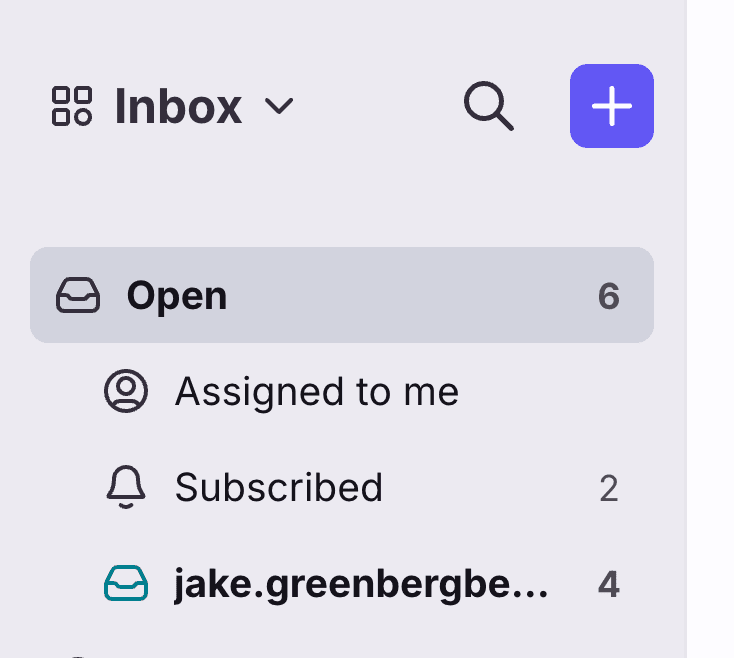
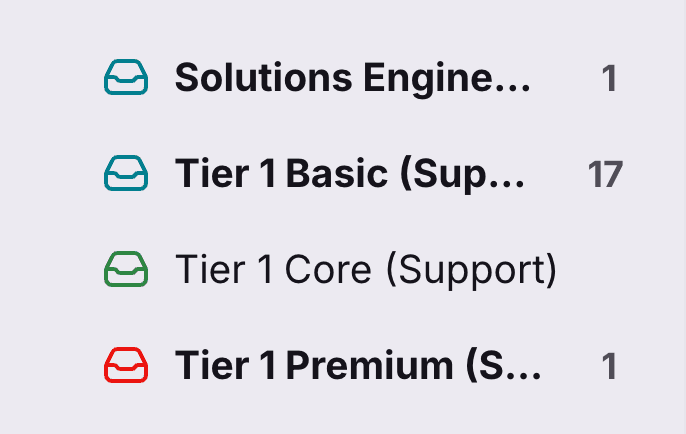
- New inbound communication in inboxes other than the one the user is currently working in.
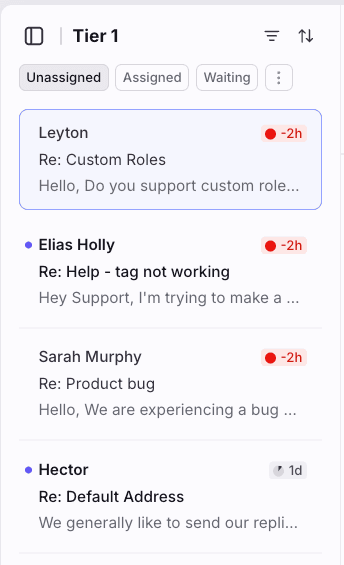
- Comments in conversations the user is assigned or subscribed to, and other conversations in the list that grab their attention.
The distracting aspects of the inbox sidebar can be somewhat solved by the hidden sidebar feature, but the ease of accessing it—even when hidden—still makes it a source of distraction.
Ultimately, as builders of Front, we cannot control the state of our users' minds. We can only shape their experience so they can work well in whatever mental state they arrive.
Focus is fickle. An intentionally designed interface can provide guardrails to help support agents stay on track and achieve their two main goals of quality and speed.
The critical jobs to be done:
- As a customer-facing employee working out of Front, I want to stay focused on the current conversation I'm working on so I can answer it quickly and thoughtfully.
- As a customer-facing employee, I want to know how many conversations are currently in my queue so that I can track my progress toward inbox zero.
- As a customer-facing employee, I don't want to be distracted by other conversations, yet I still need access to the plugins, search, and knowledge base I rely on to resolve tickets.
From a business standpoint, Focus Mode differentiates Front from competitors, delights users who were disgruntled by previous redesigns, and emphasizes the “quality first” narrative.
Focus Mode is not intended for customer-facing employees who handle multiple simultaneous conversations, such as live chat specialists.
The solution removes distractions introduced by the Front interface while ensuring employees retain the tools they need to answer customer inquiries.
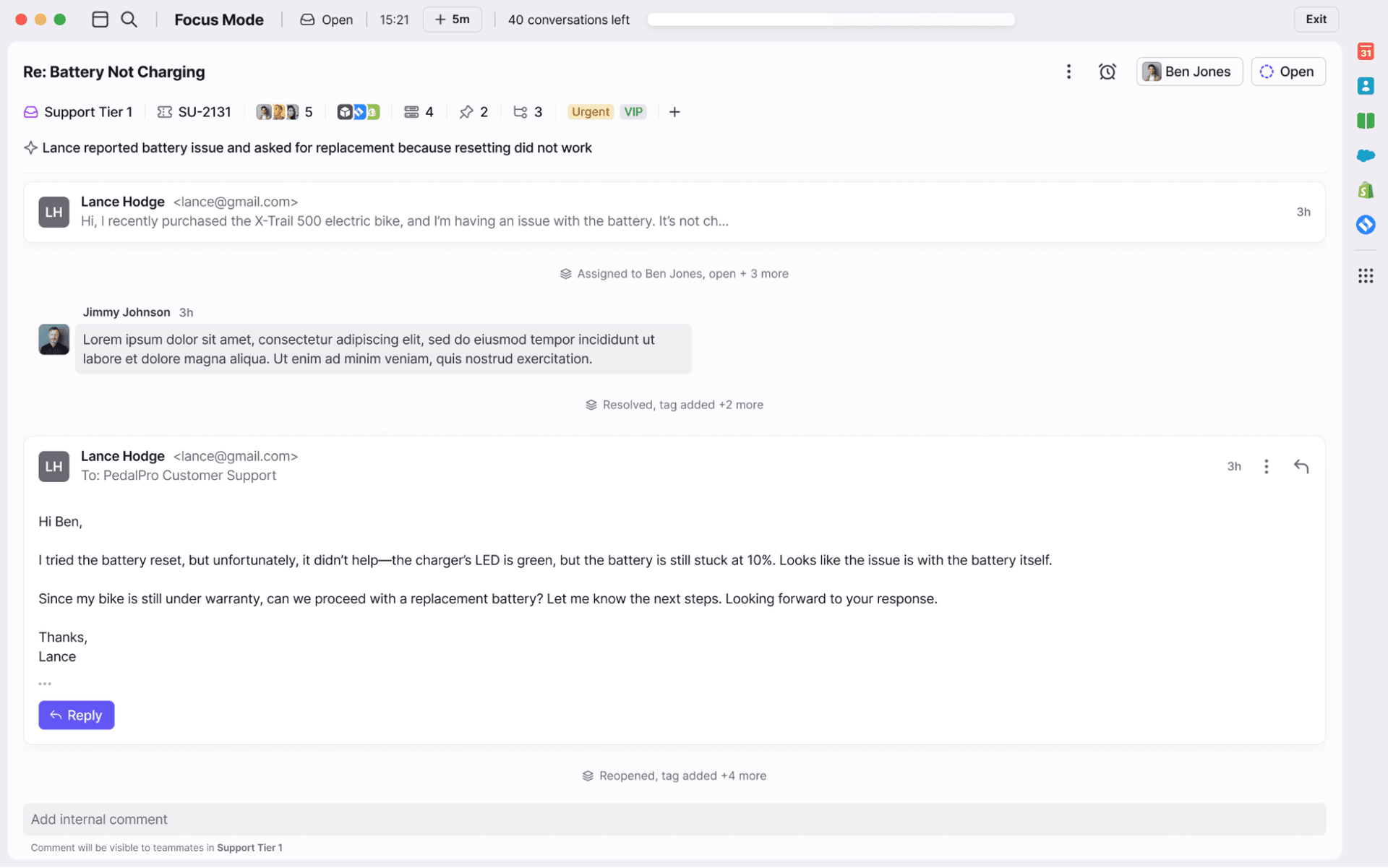
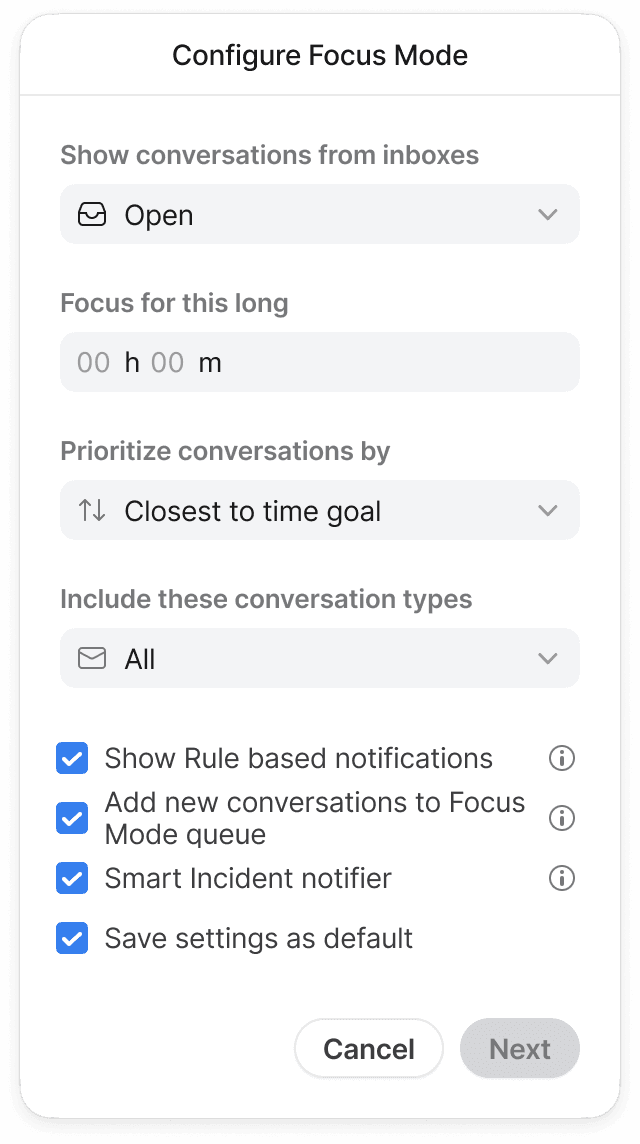
A setup guide allows employees to configure the experience to maximize value. Prioritization ensured the project could ship at different levels of fidelity while maintaining usefulness.
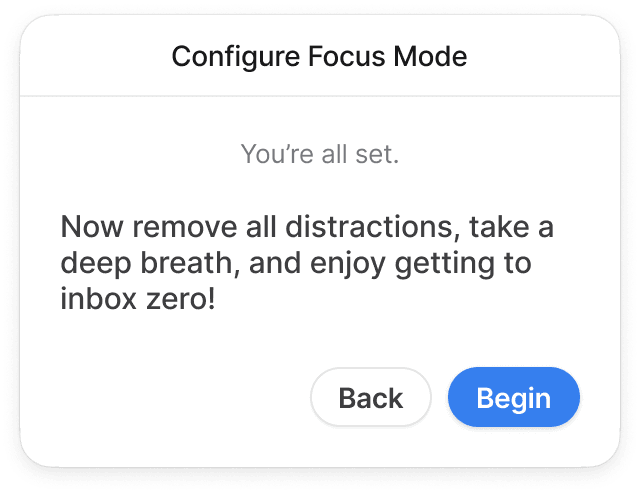
After configuration, there is intentional friction to remind users of Focus Mode's core goal.
Must have for MVP
- Show conversations from inboxes dropdown.
- Allows users to select which inboxes feed the Focus Mode queue, such as Open or Assigned.
- Prioritize conversations dropdown.
- Lets users choose how conversations are served in Focus Mode.
- Newest
- Oldest
- Newest unreplied
- Oldest unreplied
- Closest to time goal
Nice-to-have (ranked by priority)
- Hidden topbar to deliver a full distraction-free mode.
- Timer for the session so users act intentionally with their focus.
- Smart incident notifier option.
- Alerts agents when abnormal volume suggests an incident, building trust in Focus Mode.
- Option to pause new conversations entering the queue so users can finish what’s in front of them.
- Save settings as default, with flexibility to opt out for one-off sessions.
- If omitted from scope, configurations default to being saved each time.
- Filter by conversation type (All, Conversations, Tasks, Discussions) to mirror inbox filtering.
Here is a prototype to see the full experience.